
Kiosk Computers
Kiosk Computers Built for Silent, 24/7 Self-Service Duty
Fanless box PCs that hide inside your enclosure, and P-cap touchscreen panel PCs that become the kiosk face. No fan noise beside your customers, no vents pulling in dust, no site visit to press reset.
- Fanless box PCs — silent, no dust intake at the kiosk
- Compact 150 × 105 × 52.3 mm box PC (DA-1200-N97) fits tight enclosures
- -40°C to 70°C option for outdoor kiosks (DA-1200-N97, with wide-temp peripherals)
- 15.6" and 21.5" P-cap multi-touch panel PCs, IP66 front
- 9–48 VDC input with reverse-power protection
Request a Quote
Tell us your kiosk application — a US-based engineer will reply within one business day.
Which Kiosk Computer Fits Your Build?
Compact fanless box PCs to drive your display and peripherals from inside the enclosure — or touchscreen panel PCs that serve as the customer-facing screen itself.
 -40°C to 70°C
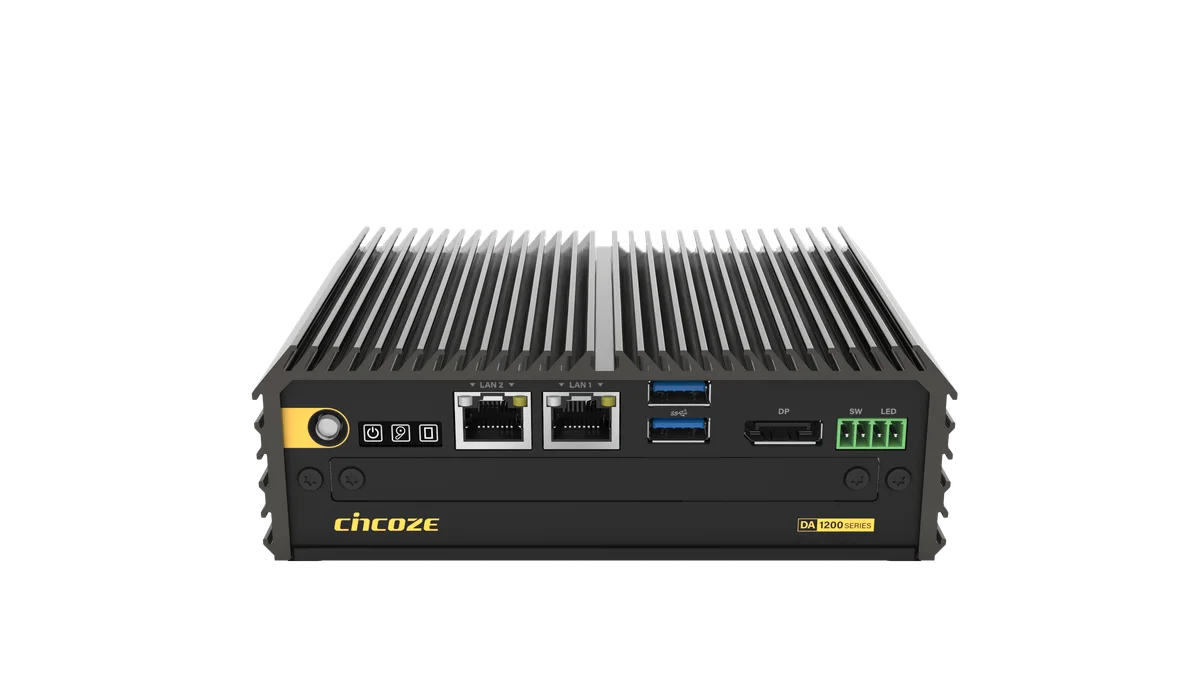
Cincoze DA-1200-N97
Current-generation palm-sized fanless box PC for interactive kiosks and signage players — Alder Lake-N performance in a 52.3 mm-tall chassis.
- Intel N97 quad-core, up to 3.6 GHz, 12 W TDP
- -40°C to 70°C fanless (wide-temp peripherals)
- 2× 2.5GbE LAN, 2× USB 3.2 Gen 2 (10 Gbps)
- 150 × 105 × 52.3 mm, 0.81 kg
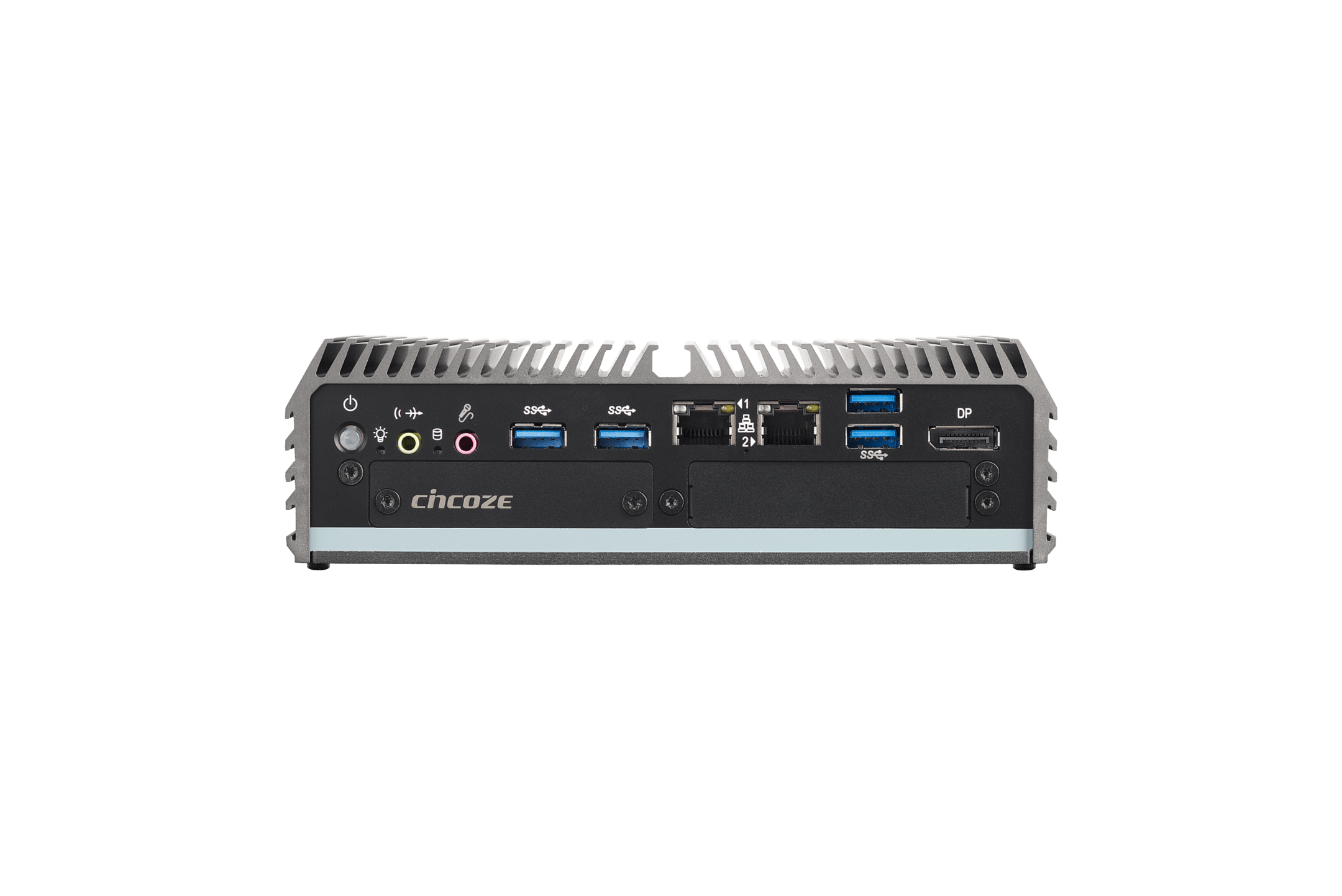
Cincoze DC-1200-N42
Fanless box PC for peripheral-heavy kiosks — receipt printers, scanners, bill acceptors — with 2× COM onboard and CMI modules for more serial and DIO.
- Intel Pentium N4200 quad-core, up to 2.5 GHz
- 2× COM (RS-232/422/485); up to 4× COM + DIO via CMI modules
- DVI-D + DisplayPort; third display via optional CMI
- -40°C to 70°C, 9–48 VDC input
 450 cd/m²
ARBOR SP-151C-1J64
15.6" Full HD P-cap multi-touch panel PC with IP66 front — an all-in-one customer-facing screen for self-checkout and ticketing.
- Intel Celeron J6412, up to 2.6 GHz
- 15.6" Full HD, 450 cd/m² brightness
- 2× 2.5GbE LAN, 3× COM, 4× USB
- 66 mm deep for slim kiosk faces
ARBOR SP-211C-1J64
21.5" P-cap multi-touch panel PC with IP66 front for wayfinding and menu boards where a bigger canvas earns its keep.
- Intel Celeron J6412, up to 2.6 GHz
- 21.5" Full HD, 250 cd/m² brightness
- 2× 2.5GbE LAN, up to 32 GB DDR4
- 66 mm deep, M.2 storage
Self-Service Applications These Systems Run
Self-Checkout & Point of Sale
The DC-1200-N42's two RS-232/422/485 ports — expandable to four COM plus isolated digital I/O (4-in/4-out) with optional CMI modules — connect receipt printers, barcode scanners, and payment peripherals.
Ticketing & Check-In
The DA-1200-N97's quad-core N97 keeps the touch UI responsive, with two 10 Gbps USB 3.2 Gen 2 ports for card readers and ticket printers — silent at the counter.
Wayfinding & Directories
The 21.5" SP-211C-1J64 puts a Full HD P-cap touch surface in the kiosk face at just 66 mm deep.
Digital Signage & Menu Boards
The DC-1200-N42 drives up to three independent displays — DVI-D and DisplayPort onboard, plus a third from an optional CMI module — one fanless player for a whole menu-board array.
How to Build a Kiosk That Doesn't Come Back
Box PC or Panel PC? Two Ways to Build
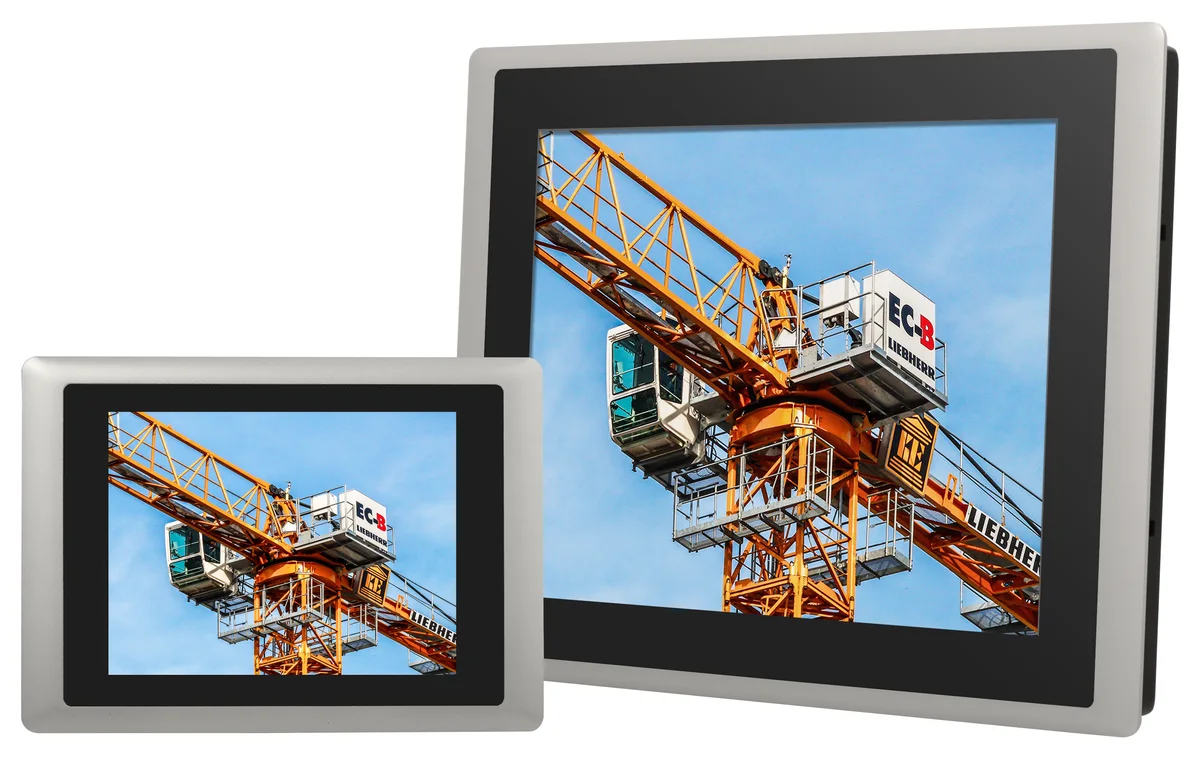
A hidden box PC driving a commercial display gives you full freedom over screen size, glass, and enclosure design — the palm-sized Cincoze DA-1200-N97 measures just 150 × 105 × 52.3 mm and mounts on VESA, wall, or DIN rail inside the cabinet. An all-in-one touch panel PC like the ARBOR SP-151C-1J64 collapses computer, display, and P-cap touch into one 66 mm-deep unit that mounts straight into the kiosk face.
The Cincoze box PCs are fanless, so nothing pulls dust or paper lint through your enclosure.
A Touch Front That Survives Public Hands
The ARBOR SP-series panels put projected-capacitive (P-cap) multi-touch behind an IP66-rated front panel — dust-tight and sealed against water jets on the customer-facing side, so routine wipe-downs and spilled drinks stay outside the electronics.
- 15.6" SP-151C-1J64: Full HD at 450 cd/m² — bright enough for well-lit lobbies and storefront glass.
- 21.5" SP-211C-1J64: Full HD at 250 cd/m² for indoor wayfinding and menu boards.
Engineered for Unattended 24/7 Duty
Kiosks fail in ways office PCs don't: heat inside a sealed cabinet, dirty power, and nobody on site to press reset. The Cincoze DA-series answers each one:
- Fanless conduction cooling through an extruded-aluminum chassis — rated to 70°C ambient (with extended-temperature peripherals and airflow), with no fan to clog or fail.
- 9–48 VDC input with over-voltage, over-current, and reverse-power protection.
- Watchdog timer that automatically resets a hung system — no truck roll to reboot a frozen kiosk.
Compare the Fanless Box PCs
| Spec | DA-1200-N97 | DC-1200-N42 |
|---|---|---|
| CPU | Intel N97 quad-core, up to 3.6 GHz | Intel Pentium N4200 quad-core, up to 2.5 GHz |
| Operating temperature | -40°C to 70°C (wide-temp peripherals; ambient airflow) | -40°C to 70°C (wide-temp peripherals; ambient airflow) |
| LAN | 2× 2.5GbE (Intel I226) | 2× GbE (Intel I210) |
| USB | 2× USB 3.2 Gen 2 (10 Gbps) | 4× USB 3.2 Gen 1 (5 Gbps) |
| Serial ports | None onboard; 2× RS-232/422/485 via optional CMI module | 2× RS-232/422/485; up to 4 with optional CMI module |
| Video out | DisplayPort; dual display with optional CMI module | DVI-D + DisplayPort; triple display with optional CMI module |
| Max memory | 16 GB DDR5-4800 | 8 GB DDR3L |
| Size (W × D × H) | 150 × 105 × 52.3 mm | 185 × 131 × 56.5 mm |
| View Specs | View Specs |
Kiosk Computer Questions, Answered
Should I use a box PC or a panel PC for my kiosk?
Why does fanless matter in a kiosk?
Can these computers run in an outdoor kiosk?
What is P-cap touch, and how is it different from resistive?
Can ADEK configure memory, storage, and the OS before shipping?
We're rolling out a fleet of kiosks — do you support volume programs?
Spec the Right Kiosk Computer the First Time
Send your application details — display size, peripherals, environment — and a US-based engineer will reply within one business day.